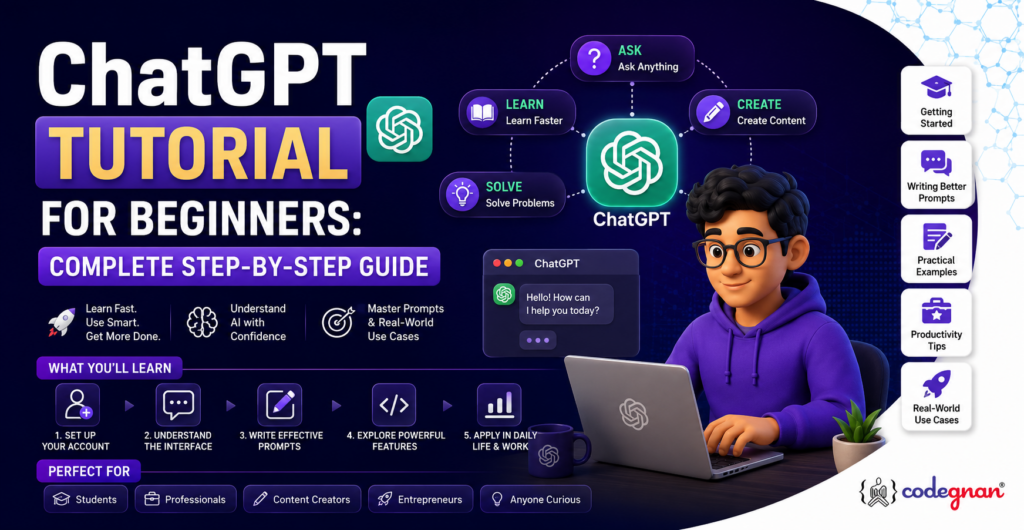





ChatGPT is an AI chatbot built by OpenAI that understands natural language and generates human-like text, code, and images. To start, create a free account at chatgpt.com, type a clear question or instruction in the chat box, and refine your prompt based on the response. This guide walks you through setup, prompting, features, and real use cases for students, professionals, and developers.
If you have ever wondered how to use ChatGPT effectively but felt unsure where to begin, you are in good company. Millions of people open ChatGPT for the first time every month, type a vague question, get an average answer, and assume that is all the tool can do. In reality, ChatGPT can write code, analyze spreadsheets, summarize research papers, draft emails, tutor you in a new subject, and even help you plan a career change, provided you know how to talk to it.
This ChatGPT tutorial for beginners is designed to take you from “I have never opened ChatGPT” to “I can use ChatGPT confidently for work, study, and coding” in one sitting. We will cover what ChatGPT is, how it works, how to set up your account, how to write prompts that actually get useful answers, and how professionals across marketing, business, education, and software development are using it every day. If you are exploring AI tools alongside a tech career, this guide pairs well with a structured Data Science course or a hands-on Python course, since prompt writing and AI literacy are quickly becoming core skills in every technical role.
What is ChatGPT?
Introduction to ChatGPT
ChatGPT is a conversational AI assistant developed by OpenAI. It is built on a large language model (LLM), a type of AI system trained on enormous amounts of text so it can predict and generate natural, coherent language. Instead of searching a database of pre-written answers, ChatGPT generates a fresh response for almost every question you ask, based on patterns it learned during training and the conversation you are currently having with it.
You can use ChatGPT to write essays, debug code, plan a trip, explain a difficult concept, translate text, brainstorm marketing ideas, or simply talk through a problem you are stuck on. It works through a simple chat interface: you type a message, and the model replies in seconds. As of 2026, ChatGPT also accepts voice input, image uploads, and documents, so the conversation is no longer limited to plain text.
How ChatGPT Works
At a technical level, ChatGPT is powered by a transformer-based neural network. During training, the model reads billions of sentences from books, articles, websites, and code repositories, and learns statistical relationships between words, phrases, and ideas. When you send a prompt, the model does not “look up” an answer. It predicts the most likely next word, then the next, and the next, based on everything it has learned and the context of your conversation.
This is why the quality of your prompt matters so much. ChatGPT is essentially completing a pattern you started, so a vague prompt produces a vague answer, while a detailed, well-structured prompt produces a detailed, well-structured response. After the model generates a response, OpenAI also applies additional training techniques, including human feedback, to make answers more helpful, accurate, and aligned with what users actually want.
History of ChatGPT
OpenAI released ChatGPT to the public in November 2022, built initially on the GPT-3.5 model. It reached one million users within five days, a growth rate that had never been seen before for a consumer application. Since then, OpenAI has released several major model upgrades, including GPT-4, GPT-4o, and the GPT-5 model family, each one improving reasoning, memory, multimodal understanding (text, images, and voice together), and accuracy.
By 2026, ChatGPT has evolved from a simple chatbot into a full AI workspace. Current versions of the model can browse the web for live information, analyze uploaded files and spreadsheets, generate images, write and execute code, remember context from earlier conversations, and even complete multi-step tasks through agent-style features. What started as a research preview is now used by hundreds of millions of people weekly, across nearly every industry.
ChatGPT vs Traditional Search Engines
A traditional search engine like Google returns a list of links, and it is up to you to click through, read, and piece together an answer. ChatGPT works differently. You ask a question in plain language, and it gives you a direct, synthesized answer, often with follow-up context, explanations, or examples built in.
That said, ChatGPT and search engines are not direct replacements for each other, and understanding the difference matters for how you use both.
- A search engine is generally better for finding the most current news, checking a specific fact against a primary source, or comparing prices across retailers.
- ChatGPT is generally better for explaining a concept, drafting content, working through a multi-step problem, writing or reviewing code, or having a back-and-forth conversation that refines an answer over several turns.
- Modern ChatGPT can also browse the web when a query needs current information, which narrows the gap, but it still works best as a reasoning and writing partner rather than a pure lookup tool.
Why Use ChatGPT?
Benefits
ChatGPT has become popular because it removes friction from tasks that used to take much longer. A few of the biggest benefits include:
- Speed: Draft an email, outline, or code snippet in seconds instead of starting from a blank page.
- Accessibility: No technical background is required. If you can type a question, you can use ChatGPT.
- Versatility: The same tool can help with writing, coding, research, learning, and planning.
- Availability: It is available 24/7, with no waiting on a colleague, tutor, or support agent.
- Personalization: You can ask it to adjust tone, length, format, or difficulty level to match exactly what you need.
- Low barrier to entry: A free plan exists, so anyone can try it before deciding whether to upgrade.
Real-World Applications
ChatGPT is not a niche tool for developers or writers. It is being used across nearly every field, in ways that are often surprisingly practical.
Learning Students use ChatGPT to get concepts explained in simpler terms, generate practice questions, and create study schedules. If you are exploring a tech career path, you can also pair AI-assisted learning with structured, mentor-led training. Codegnan’s Career Guide resources walk through what skills to build and in what order, which is a good complement to self-study with ChatGPT.
Coding Developers use ChatGPT to write boilerplate code, debug errors, understand unfamiliar codebases, and learn new programming languages faster. We cover this in detail in the ChatGPT for Coding section below.
Marketing Marketing teams use ChatGPT to draft ad copy, generate social media captions, brainstorm campaign ideas, and summarize customer feedback.
Business Business professionals use it to write reports, summarize meeting notes, draft proposals, and analyze data trends without needing a dedicated analyst for every small task.
Education Teachers use ChatGPT to create quizzes, lesson plans, and rubrics, while students use it as a patient, always-available tutor.
Data Analysis With file upload and code execution features, ChatGPT can clean messy datasets, generate charts, and explain statistical results in plain language. Anyone building a career in this space will benefit from combining these AI skills with formal training, such as Codegnan’s Data Science with Agentic AI course, which teaches how to apply AI tools inside real analytics workflows.
Research Researchers use it to summarize academic papers, generate literature review outlines, and explain complex terminology from unfamiliar fields.
Customer Support Businesses use ChatGPT-based systems to draft support responses, generate FAQ content, and handle first-line customer queries before escalating to a human agent.
Productivity From meeting summaries to to-do list generation, ChatGPT has become a daily productivity layer for millions of knowledge workers.
How to Get Started with ChatGPT
Create an Account
Getting started with ChatGPT takes less than two minutes.
- Go to chatgpt.com in your browser, or download the official ChatGPT app for iOS or Android.
- Click “Sign up.”
- Enter your email address and create a password, or sign up using a Google, Microsoft, or Apple account for faster access.
- Verify your email if prompted.
- Fill in basic details such as your name and date of birth.
Once your account is created, you land directly in the chat interface, ready to type your first prompt.
Sign In
If you already have an account, click “Log in” on the homepage, enter your credentials, and you will be taken straight back to your chat history. ChatGPT keeps your previous conversations saved (unless you delete them or use temporary chat mode), so you can pick up where you left off, reference earlier answers, or continue a long project across multiple sessions.
Free vs Paid Plans
As of 2026, OpenAI offers several ChatGPT plans, and choosing the right one depends on how often you plan to use it and what you need it for.
- Free: No cost. Includes access to a capable default model, web browsing, image generation, file uploads, and basic data analysis, but with tighter usage limits and reduced access to the most advanced reasoning models.
- Go: A lower-cost paid tier that raises the message and upload limits compared to Free, aimed at casual daily users who occasionally hit the free tier’s caps.
- Plus: The most popular paid plan for individuals. It unlocks higher usage limits, priority access to the most capable models, extended memory, Deep Research, and advanced tools for coding and data analysis.
- Pro: A premium tier for professionals who use ChatGPT intensively every day, offering the highest usage limits, the most capable model variants, and expanded context windows for handling very long documents or codebases.
- Business and Enterprise: Built for teams and organizations, with workspace management, security controls, and higher shared usage limits.
If you are new to ChatGPT, the free plan is the right place to start. Upgrade only once you find yourself regularly hitting usage limits or needing features like Deep Research and extended file analysis for serious work.
ChatGPT Interface Overview
The ChatGPT interface is intentionally simple. When you log in, you will see:
- A text box at the bottom of the screen where you type your prompt.
- A sidebar on the left listing your past conversations.
- Icons near the text box for attaching files, using voice mode, and generating images.
- A model selector, which lets you choose between different versions of the underlying AI model, depending on your plan.
There is very little to learn structurally. The real skill in using ChatGPT well comes from how you write your prompts, which we cover in detail shortly.
Understanding the ChatGPT Interface
Chat Window
The chat window is the main area where your conversation with ChatGPT happens. Each message you send and each response you receive appears as a separate bubble, and you can scroll up to review the entire conversation at any time. You can also edit a previous message you sent, which regenerates the response from that point forward, which is useful when you want to tweak your instructions without starting over.
Sidebar
The sidebar on the left lists every conversation you have started, automatically titled based on the topic. You can rename conversations, pin important ones to the top, organize related chats into folders (called Projects), or delete conversations you no longer need. This makes it easy to return to a specific thread, such as a coding project or a study plan, without losing context.
Attachments
The attachment icon lets you upload files directly into a conversation, including PDFs, Word documents, spreadsheets, images, and code files. Once uploaded, you can ask ChatGPT to summarize a report, extract data from a spreadsheet, review an image, or explain a piece of code, all within the same chat.
Voice Mode
Voice mode lets you talk to ChatGPT instead of typing, and it responds with natural-sounding speech. This is useful for hands-free use, practicing spoken language skills, or simply having a faster back-and-forth conversation while multitasking.
Image Generation
ChatGPT can generate original images directly from a text description. You can also ask it to edit an image you have already generated, adjust the style, or refine specific details, all through natural conversation rather than a separate design tool.
Projects & Chats
Projects allow you to group related conversations, files, and instructions together. For example, you could create a “Job Search” project containing your resume, target job descriptions, and every related conversation, so ChatGPT has consistent context every time you return to it, instead of you re-explaining your situation each time.
How to Write Effective Prompts
Anatomy of a Good Prompt
A strong ChatGPT prompt usually includes four elements:
- Role or context: Tell ChatGPT who it should act as, or what background information matters.
- Task: State clearly what you want it to do.
- Format: Specify how you want the answer structured, such as a bullet list, a table, or a short paragraph.
- Constraints: Mention any limits, such as word count, tone, or audience.
For example, instead of “Write about marketing,” a stronger prompt would be: “Act as a marketing strategist. Write a 150-word Instagram caption promoting a new fitness app, targeted at busy professionals, using a motivational but casual tone.”
Prompt Formula
A simple formula you can reuse for almost any task is:
Role + Task + Context + Format = Effective Prompt
“Act as a [role]. Help me [task]. Here is some context: [details]. Please respond in [format].”
This formula works whether you are asking for a study plan, a piece of code, a business email, or a workout routine, because it forces you to give ChatGPT the same information you would give a human assistant.
Common Prompting Mistakes
Even experienced users fall into a few common traps:
- Being too vague (“Help me with my resume” instead of specifying the job role and industry).
- Assuming ChatGPT remembers unstated context from a previous, unrelated conversation.
- Asking multiple unrelated questions in a single prompt, which often produces a shallow answer to each.
- Not specifying the desired length or format, leading to responses that are too long or too short for the intended use.
- Accepting the first answer without asking a natural follow-up question to refine it.
Prompt Templates
A few reusable templates worth saving:
- “Explain [topic] as if I am a complete beginner, using a simple analogy.”
- “Summarize the following text in 5 bullet points: [paste text].”
- “Act as an interviewer for a [job title] role and ask me 5 realistic interview questions.”
- “Review this code and explain any bugs or inefficiencies: [paste code].”
- “Create a 7-day study plan for learning [topic], assuming I can study 1 hour per day.”
Your First ChatGPT Prompt
The best way to learn ChatGPT is to try it. Here are four simple exercises to build confidence.
Ask a Question
Start with something you are genuinely curious about. For example: “What is the difference between a resume and a CV, and which one should I use for a software developer job in India?” Notice how the answer is direct, structured, and specific to your context.
Generate Content
Try asking ChatGPT to create something from scratch, such as: “Write a short, friendly welcome email for new students joining an online coding bootcamp.” Pay attention to tone and structure, then ask it to adjust the tone if it does not match what you wanted.
Summarize Text
Paste in a long paragraph or article and ask: “Summarize this in 3 bullet points for someone in a hurry.” This is one of the most practical everyday uses of ChatGPT, especially for long reports or research papers.
Translate Languages
Try: “Translate this sentence into Hindi, and explain any cultural nuance I should be aware of.” ChatGPT supports dozens of languages and can explain tone and context, not just literal word-for-word translation.
ChatGPT Features Explained
Text Generation
At its core, ChatGPT generates natural-sounding text for essays, emails, scripts, stories, and more, adapting tone and style based on your instructions.
Code Generation
ChatGPT can write functional code in most popular programming languages, including Python, Java, JavaScript, and SQL, based on a plain-language description of what you want the code to do.
Image Generation
Using natural language prompts, ChatGPT can create original images, illustrations, diagrams, and design concepts, and iterate on them through conversation.
Data Analysis
You can upload a spreadsheet or CSV file and ask ChatGPT to clean the data, calculate statistics, identify trends, and generate charts, all without writing a single formula yourself.
File Uploads
Beyond spreadsheets, you can upload PDFs, Word documents, presentations, and images, and ask ChatGPT questions about their content, request summaries, or ask it to extract specific information.
Web Browsing (when available)
When enabled, ChatGPT can search the live web to answer questions about current events, recent product releases, or anything that changes faster than its training data.
Memory
ChatGPT can remember relevant details across conversations, such as your profession, learning goals, or ongoing projects, so you do not need to repeat context every single time you open a new chat.
Custom GPTs
Custom GPTs are personalized versions of ChatGPT, configured with specific instructions, knowledge, and behavior for a particular task, such as a resume reviewer, a coding tutor, or a brand voice assistant. You can build your own or use ones created by other users.
Best ChatGPT Prompts for Beginners
Learning
“Explain [concept] using a simple, real-world analogy, then quiz me with 3 questions to check my understanding.”
Writing
“Improve the clarity and flow of this paragraph without changing its meaning: [paste text].”
Coding
“Write a Python function that checks whether a given string is a palindrome, and explain how it works line by line.”
Resume
“Rewrite this resume bullet point to sound more results-driven, using strong action verbs: [paste bullet point].”
“Write a polite follow-up email to a recruiter after not hearing back for 2 weeks about a job application.”
Excel
“Explain how to use a VLOOKUP formula in Excel with a simple example, and show me the exact formula syntax.”
ChatGPT Use Cases
Students
Students can use ChatGPT to break down difficult textbook concepts, generate practice problems, get feedback on essay drafts, and create revision timelines before exams. It works especially well as a study partner when you ask it to explain your mistakes rather than simply give you the correct answer.
Developers
Developers use ChatGPT to speed up repetitive coding tasks, understand unfamiliar libraries, generate test cases, and get a second opinion on code architecture decisions. For anyone building a serious foundation in software development, pairing AI-assisted learning with a structured, mentor-led program like Codegnan’s Full Stack Developer course accelerates the process far more than self-study alone.
Job Seekers
Job seekers use ChatGPT to tailor resumes for specific roles, prepare for interviews with realistic mock questions, and research companies before an interview. If you are actively preparing for technical interviews, it is worth reviewing curated question banks such as Codegnan’s Python Interview Questions and Java Interview Questions alongside your ChatGPT practice sessions, since real interview panels often draw from well-known question sets.
ChatGPT for Coding
ChatGPT has become one of the most widely used tools among both new and experienced programmers, not as a replacement for learning to code, but as an accelerator once you understand the fundamentals.
Writing Code
You can describe what you want a program to do in plain language, and ChatGPT will generate working code in your chosen language. This is especially useful for boilerplate tasks, such as setting up a basic API endpoint, writing a data validation function, or scaffolding a new project structure.
Debugging
Paste an error message along with the relevant code, and ChatGPT can often identify the root cause faster than searching through forum threads. It can also suggest multiple possible fixes and explain the trade-offs between them.
Explaining Code
If you are working with unfamiliar code, whether from a tutorial, an open-source project, or a codebase at a new job, ChatGPT can explain what each section does in plain English, which speeds up onboarding significantly.
Learning Programming
For beginners, ChatGPT works well as a patient, on-demand tutor that explains concepts at your pace and adjusts explanations when something does not click the first time. That said, structured learning still matters for building real job-ready skills. If Python is your starting point, Codegnan’s Python Syllabus lays out a proven, step-by-step curriculum, and the Python Projects page offers hands-on ideas you can build using both your own skills and ChatGPT as a coding assistant. You can also read Codegnan’s dedicated Python Tutorial for Beginners for a full walkthrough of the language itself.
ChatGPT Tips & Best Practices
Give Clear Instructions
The more specific your request, the more useful the response. State the audience, tone, length, and purpose whenever they matter.
Provide Context
If your question depends on background information, such as your industry, skill level, or goal, include it in the prompt itself rather than assuming ChatGPT already knows.
Iterate Responses
Treat the first answer as a starting draft, not a final product. Ask follow-up questions like “make this shorter” or “explain that part again, more simply” to refine the result.
Verify Facts
ChatGPT can make mistakes, especially with specific numbers, dates, or citations. Always double-check important facts, statistics, or legal and medical information against a reliable source before relying on them.
Protect Sensitive Information
Avoid pasting confidential business data, passwords, or personally identifiable information into ChatGPT unless you fully understand your organization’s data policy and the platform’s privacy settings.
Common ChatGPT Mistakes
Vague Prompts
Short, unclear prompts produce generic answers. Adding even one or two extra details dramatically improves output quality.
Blindly Trusting AI
ChatGPT can sound confident even when it is wrong. This is known as “hallucination,” and it is one of the most important limitations to understand before relying on any AI tool for important decisions.
No Context
Jumping straight into a request without background information forces ChatGPT to guess your intent, which often leads to answers that miss the mark.
Ignoring Follow-up Questions
Many beginners accept the first response and move on, instead of refining it. The real power of ChatGPT comes from the conversation, not the single first answer.
ChatGPT Limitations
Hallucinations
ChatGPT can generate information that sounds plausible but is factually incorrect, particularly for niche topics, specific statistics, or citations. Always verify anything you plan to use in an important document or decision.
Knowledge Limitations
Without web browsing enabled, ChatGPT’s core knowledge is based on its training data, which has a cutoff date. For very recent events, always cross-check with a live source or enable web browsing.
Privacy Considerations
Conversations may be used to improve the model unless you adjust your data controls, so it is worth reviewing your privacy settings, especially before sharing sensitive personal or company information.
Accuracy
ChatGPT is a language model, not a calculator or a database. For precise numerical work, legal advice, or medical guidance, treat its output as a helpful starting point rather than a final authority, and verify with a qualified professional or primary source.
ChatGPT vs Other AI Tools
| Tool | Best For |
|---|---|
| ChatGPT | General-purpose AI assistant for writing, coding, and everyday tasks |
| Gemini | Deep integration with the Google ecosystem, including Docs, Gmail, and Search |
| Claude | Working with long documents and detailed, nuanced writing |
| Microsoft Copilot | Users already working inside Microsoft 365 apps like Word, Excel, and Outlook |
| Perplexity | AI-powered search with cited sources for research-heavy queries |
Each of these tools overlaps with ChatGPT in some way, but most people find that ChatGPT’s broad flexibility makes it a strong default choice, with the other tools serving as useful additions for specific workflows.
30-Day ChatGPT Learning Roadmap
Week 1 – Basics
Create your account, explore the interface, and practice writing simple prompts for questions, summaries, and short content. Focus on getting comfortable with the chat window, attachments, and basic formatting requests.
Week 2 – Prompt Engineering
Learn the prompt formula covered earlier in this guide. Practice adding role, context, and format to your requests, and compare how the quality of responses improves compared to Week 1.
Week 3 – Advanced Features
Experiment with file uploads, data analysis, image generation, and voice mode. Try creating a Custom GPT for a repetitive task you handle often, such as email drafting or resume tailoring.
Week 4 – Real Projects
Apply everything you have learned to a real project, such as writing a complete blog post, debugging a small coding project, or building a study plan for an upcoming certification. If coding is your focus, this is a good time to pair your ChatGPT skills with a structured course, such as Codegnan’s Data Science Course or Software Testing Course, depending on your career direction.
ChatGPT Prompt Library
Writing Prompts
“Rewrite this paragraph in a more confident, professional tone: [paste text].”
Coding Prompts
“Refactor this function to improve readability without changing its behavior: [paste code].”
Marketing Prompts
“Generate 5 headline options for a landing page promoting an online coding bootcamp for beginners.”
HR Prompts
“Draft a job description for a Junior Python Developer role, including responsibilities and required skills.”
Study Prompts
“Create 10 practice questions on [topic], ranging from beginner to advanced difficulty, with answers explained.”
Business Prompts
“Summarize this quarterly report into 5 key takeaways for a non-technical audience: [paste report].”
ChatGPT Keyboard Shortcuts & Productivity Tips
A few shortcuts and habits can meaningfully speed up how you use ChatGPT day to day:
- Use Shift + Enter to add a new line within a message instead of sending it immediately.
- Use Enter to send your message.
- Press the up arrow in an empty chat box to quickly edit your last sent message.
- Pin frequently used chats or Projects to the top of the sidebar for quick access.
- Save reusable prompt templates in a notes app so you are not rewriting the same instructions every time.
- Use Custom Instructions (found in Settings) to set a default tone, format, and context for every new conversation, so you do not have to repeat basic preferences each time.
ChatGPT Resources
Cheat Sheet
Keep a simple reference of the prompt formula (Role + Task + Context + Format), common prompt templates, and shortcut keys somewhere handy, such as a pinned note or document, until they become second nature.
Prompt Templates
Build a personal library of prompts that work well for your specific job or study routine, and refine them over time as you learn what produces the best results.
Beginner Exercises
Practice with low-stakes tasks first, such as summarizing an article, drafting a casual email, or explaining a concept you already understand, so you can judge the quality of the AI’s response accurately.
Books & Courses
Beyond ChatGPT itself, building real technical skills benefits from structured learning. Explore Codegnan’s Blogs for tutorials on Python, Java, data science, and more, or browse the Online Academy for self-paced courses that pair well with AI-assisted learning.
FAQs
1. What is ChatGPT and how does it work?
ChatGPT is an AI chatbot built by OpenAI that uses a large language model to understand natural language and generate human-like responses. It predicts text based on patterns learned from massive amounts of training data, combined with the context of your current conversation.
2. Is ChatGPT free to use?
Yes, ChatGPT offers a free plan with access to a capable model, web browsing, and basic file handling, though with usage limits. Paid plans like Go, Plus, and Pro offer higher limits and access to more advanced models and features.
3. How do I write better prompts for ChatGPT?
Be specific about the role, task, context, and format you want. Instead of a vague question, describe exactly what you need, who it is for, and how long or detailed the answer should be.
4. Can ChatGPT help with coding?
Yes, ChatGPT can write, debug, explain, and refactor code in most popular programming languages. It works especially well as a learning aid and productivity tool for developers at every skill level.
5. Can ChatGPT generate images?
Yes, ChatGPT can generate original images from text descriptions and refine them through follow-up instructions, all within the same conversation.
6. Is ChatGPT safe for students and professionals?
ChatGPT is generally safe for everyday learning and productivity tasks, but users should avoid sharing sensitive personal or confidential business information, and should always verify important facts before relying on them.
7. What are the limitations of ChatGPT?
ChatGPT can occasionally generate incorrect information, may lack awareness of very recent events without web browsing enabled, and should not be treated as a substitute for professional legal, medical, or financial advice.
8. What is the difference between ChatGPT Free and Plus?
ChatGPT Plus offers higher usage limits, priority access to the most advanced models, extended memory, and additional tools like Deep Research, compared to the more limited free plan.
9. Can ChatGPT replace Google Search?
Not entirely. ChatGPT is strong for explanations, drafting, and reasoning through problems, while traditional search engines remain better for finding the latest news or verifying specific facts against primary sources. Many users now rely on both, depending on the task.
10. How can I become proficient in using ChatGPT?
Practice consistently using the prompt formula covered in this guide, experiment with different features like file uploads and Custom GPTs, and apply what you learn to real tasks at work, school, or personal projects. Pairing AI tools with structured technical training, such as a Full Stack Developer course or Data Science course at Codegnan, builds the kind of foundational skill that makes AI tools genuinely useful rather than just impressive.
ChatGPT is not a tool you master in a single session. It is a skill you build over weeks of regular use, the same way you would build any other professional skill. Start small, apply the prompt formula from this guide, and keep experimenting with new features as you grow more comfortable. If your goal is to combine AI fluency with a real, job-ready technical skill set, explore Codegnan’s full range of courses to see which path fits your career goals best.